

Ghost Buster Pro for Mac v7.0.0 – Computer Cleaning and Optimization Software, Chinese Activated Version Download
Ghost Buster Pro is a disk tool focused on cleaning up leftovers from uninstalled applications. It precisely locates and removes “ghost files” such as caches, containers, and support folders left behind after software uninstallation, efficiently freeing up disk storage space. The operation is lightweight, simple, and safely controllable.
## Precise Deep Scan for Leftovers
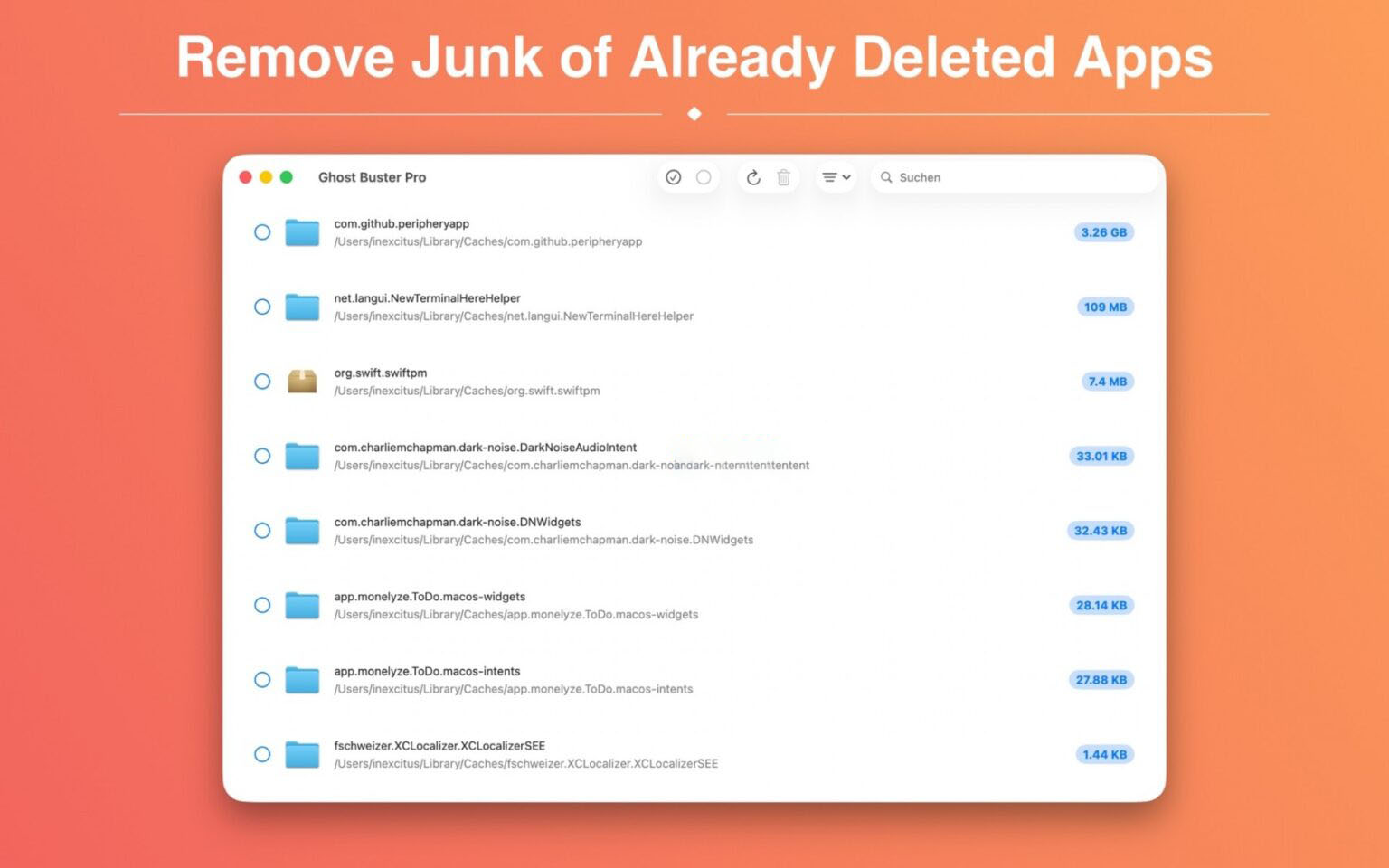
– Deeply traverses the system to identify all leftover data from uninstalled applications, covering various types of leftovers including application caches, container files, preference configurations, support folders, and run logs, fully recovering disk space occupied by invalid files.
– Scans only files associated with uninstalled applications and never touches native system files or normal data of installed applications, fully ensuring the stability of the system and existing software.
– Automatically starts a full scan upon launch, with no complex configuration or guidance process required; leftover detection is ready out of the box.
## Visualized Space Reclamation Display
– After scanning, intuitively displays the total reclaimable space capacity and generates a statistical chart of leftover file distribution, clearly showing the ranking of leftover occupancy by different uninstalled applications, quickly identifying the largest space consumers.
– Each leftover item is labeled with its specific occupied space size and supports sorting by file size or application name. You can prioritize cleaning large leftovers to quickly free up space, or precisely find target leftovers by name.
## Safe and Controllable Cleaning Mechanism
– No automatic deletion occurs throughout the process; all cleaning actions require manual confirmation and selection by the user. The bottom status bar displays in real time the number of selected items and total occupied space, making the cleaning scope clear and controllable.
– Provides dual-mode cleaning options: move cleaned files to the Trash, allowing recovery of accidentally deleted content at any time; or choose permanent direct deletion to thoroughly free up disk space.
## Personalized Scan Rules
– Supports an ignore list function, allowing folders to be kept to be added to an exclusion list. All subsequent scans will automatically skip that directory, adapting to personalized file retention needs.
Version 7.0.0 Updates:
– Added a built-in help feature that explains in detail how scanning works and what can be safely cleaned.
– Added an info button next to scan results; click to view the reason each item is determined to be a “leftover file”.
– Now only supports Macs with Apple silicon. Macs with Intel processors can continue to install and use previous versions.
Software Screenshots:
This resource requires login to download
Log in
Tidy Up 5 for Mac v5.0.7 Duplicate File Finder and Disk Cleanup Activated Version Download
Downloads:1492 | 2026-10-17

Dr. Cleaner Pro for Mac 1.3.3 System Maintenance and Management Tool Chinese Activated Version Download
Downloads:3123 | 2026-10-17

App Cleaner & Uninstaller Pro for Mac v8.1.4 – App Uninstaller – Chinese Activated Version Download
Downloads:799 | 2026-10-17
App Cleaner & Uninstaller Pro for Mac v8.5 Software Uninstaller Chinese Activated Version Download
Downloads:303 | 2026-10-17


Ratings & reviews
No rating
Let’s rate it.