Microsoft Office for Mac is a flagship office suite deeply optimized for the macOS system. It integrates core applications such as Word, Excel, PowerPoint, Outlook, and OneNote, aiming to provide Mac users with a professional, efficient, and seamless office experience equivalent to the Windows platform.
Important Notice: To ensure software security, stability, and continuous updates, users are strongly advised to obtain genuine licenses through Microsoft official or authorized channels. Using unauthorized software may bring security risks, legal issues, and no access to official technical support and services.
Extended Resources: Recommended Office Template Suites
To enhance the efficiency and professionalism of creating documents, presentations, and spreadsheets, the following third-party template resources are available for reference:
- Set for MS Office 2000: Includes multiple classic Office templates.
- Expert Bundle – Templates for MS Office: A collection of professional-grade templates.
- MegaPack for Office: Provides over 300 diverse Office templates.
- Set for MS Word 2.0: Contains 445 professional Word document templates.
- Fuel for MS Word: Includes over 300 modern Word templates.
- Templates for MS PowerPoint: Offers 120 beautifully designed PPT presentation templates.
Note: More templates and design assets can be obtained through professional design resource platforms.
— Detailed Features and Functions —
I. Core Functions and Diverse Office Support
Office for Mac provides comprehensive and powerful office functions to meet various needs from basic to professional:
- Microsoft Word: Supports advanced document processing, including improved digital inking, Focus Mode, Learning Tools, and real-time translation. Version 2021 and above add a “landscape” page-turning mode, simulating a book reading experience, especially suitable for tablet devices.
- Microsoft Excel: Equipped with a powerful data analysis engine, supporting complex formula calculations, dynamic chart creation, and data visualization tools.
- Microsoft PowerPoint: Offers rich presentation creation tools. Version 2021 adds ink writing functionality, allowing hand-drawn doodles to be converted into standard shapes, inspiring creativity.
II. Seamless Compatibility and Cross-Platform Collaboration
This suite is the cornerstone for ensuring smooth cross-platform workflows:
- Deeply integrated with the macOS system, the interface follows Apple design guidelines, and operations align with Mac user habits.
- Provides “pixel-perfect” rendering support for open standard formats such as .docx, .xlsx, .pptx, ensuring that fonts, layouts, tables, and formulas are accurately reproduced when exchanging files between Mac and Windows, completely eliminating format corruption issues.
- As the de facto standard for global office collaboration, it ensures the reliability and professionalism of file transfer with clients, colleagues, and partners.
III. Optimized User Experience and Operational Efficiency
Several experience optimizations have been made for the Mac platform:
- The interface is clean and intuitive, operations are smooth, and macOS gestures and keyboard shortcuts are fully supported.
- Introduces the “Tell Me” search feature, allowing quick location of function commands through natural language descriptions.
- The enhanced “Immersive Reader” provides page color adjustment and “Line Focus” mode, facilitating deep reading.
- Word 2021 adds system-level dark mode support, including dark document backgrounds, effectively reducing visual fatigue.
IV. System Support, Updates, and Cloud Service Integration
Office for Mac has robust technical support and update strategies:
- System Support: Compatible with the last three major versions of macOS, with native optimization for Apple Silicon and Intel chips.
- Update Strategy:
- Microsoft 365 Subscription: Receives monthly feature updates, security patches, and performance improvements.
- Office LTSC 2021/2024: Provides a long-term servicing channel with fixed versions, suitable for enterprise environments pursuing ultimate stability.
- Cloud Integration: Seamlessly integrates with OneDrive and iCloud, supporting automatic document saving, cross-device synchronization, and real-time online collaboration.
V. Professional Value and Use Cases
Office for Mac demonstrates irreplaceable value in the following scenarios:
- Cross-Platform Business Collaboration: For Mac users who frequently exchange files with the Windows ecosystem, it is an essential tool for ensuring document format consistency.
- Rigorous Professional Scenarios: In fields such as law, academia, and finance, its format fidelity avoids additional communication costs caused by compatibility issues.
- Compared to Apple’s Native Suite: Compared to Pages, Numbers, and Keynote, Office for Mac has advantages in advanced features, enterprise-level compatibility, and collaboration ecosystem, making it a core productivity tool in the Mac office ecosystem.
VI. Version Update Log (v16.107.4)
1. Feature Updates
- Excel Local File Copilot Support: Added AI agent support for modern Excel workbooks stored locally on the device. Users can now directly query and analyze local file content through the Copilot conversational assistant without being limited by file location, significantly enhancing AI processing capabilities for local data.
2. Optimizations and Improvements
- Comprehensive quality and performance optimizations were made to the four core components: Excel, OneNote, PowerPoint, and Word, improving document loading speed, operation response speed, and overall application stability.
3. Security Updates
This update fixes multiple security vulnerabilities and enhances product security, mainly including:
- Excel Component Related: CVE-2026-26107, CVE-2026-26108, CVE-2026-26109, CVE-2026-26112
- Office Suite General: CVE-2026-26110, CVE-2026-26113
(Note: CVE numbers are examples; actual numbers are subject to Microsoft official security advisories.)
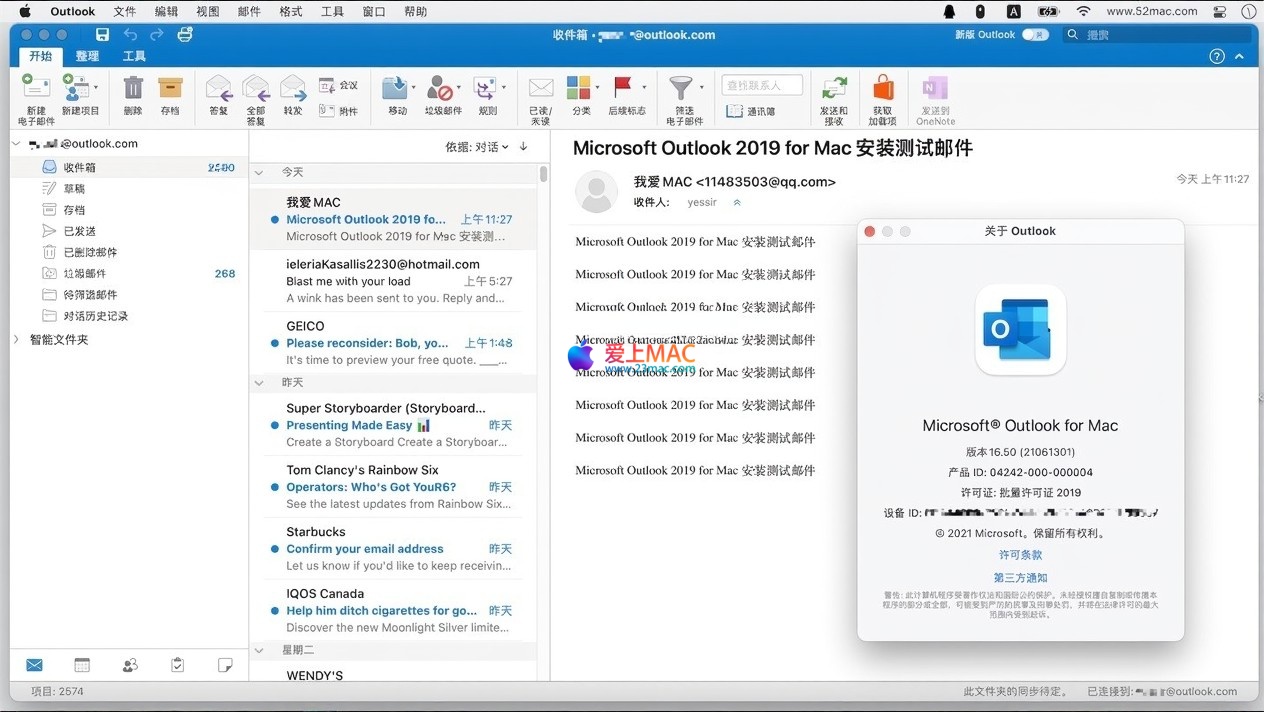
Software Interface Screenshots













Ratings & reviews
No rating
Let’s rate it.