Downie 4 for Mac v4.11.13 Professional Video Downloader Chinese Activated Version Download

  • Introduction
Download
Download now
Join VIP Free download

Description

Downie is a professional video download tool designed specifically for macOS. With its intuitive interface, broad platform compatibility, and deeply optimized performance, it has become the preferred software for Mac users to efficiently obtain online video content.

Important Notice:

  • If using a cracked version, be sure to disable automatic updates to prevent activation from becoming invalid.
  • Steps: Click “Downie 4” in the top-left menu bar -> select “Settings” -> go to the “Update” tab -> uncheck “Automatically check for updates”.

In addition, because major video websites frequently update their anti-scraping mechanisms and page structures, Downie also needs to keep updating accordingly to maintain download functionality. Therefore, the official update cycle may be short (for example, every 10-15 days). Users are advised to keep an eye on version developments to ensure software availability.

1. Core Features

1. Broad Website Support and Intelligent Parsing

  • Coverage of over a thousand sites: Supports more than 1,200 streaming platforms worldwide, including YouTube, Vimeo, Bilibili, Douyin, Instagram, Facebook, and others (data as of 2025).
  • Dynamic rule adaptation: The built-in rule library is automatically updated three times a week, effectively parsing complex page structures such as Bilibili interactive videos and Douyin collections. The parsing success rate is about 40% higher than similar tools.
  • Convenient trigger methods: Provides browser extensions (supporting Safari/Chrome/Opera), and supports capturing videos with one click by copying a link, dragging a URL to the window, or clicking the extension button.

2. High-Performance Downloading and Queue Management

  • High-resolution support: Supports downloading videos up to 8K ultra HD, breaking through platform limitations. Hardware acceleration is optimized for Apple Silicon chips (M series), significantly improving download speed.
  • Multithreading and resume support: Uses HLS multithreaded download technology (some advanced features require enabling via terminal commands), and combined with network optimization can achieve extremely high download speeds; supports resume from breakpoints to ensure task integrity when the network is unstable.
  • Batch processing: Supports adding links in batches, downloading in queue order, and organizing entire playlists or channel content into specified folders for easy archiving and management.

3. Deep Integration and Post-Processing

  • Intelligent format conversion: By default, downloaded videos are converted to the widely compatible MP4 format. It can work seamlessly with its sister software Permute for professional format conversion (such as ProRes, HEVC) or video merging.
  • Subtitles and metadata: Supports downloading external subtitle files and can extract video metadata (title, author, tags, etc.) and save it as JSON files for media library management.
  • Automated workflows: Through the “Hot Folder” feature, you can set subsequent actions such as automatic format conversion and script execution to be triggered after download completion, enabling automated batch processing.

2. Version 4.11.13 Changelog

  • New feature: When running in automation mode (macOS 14+), suppressed actions can now be displayed in a list.
  • New feature: In filename format settings, placeholders are now supported to identify the resolution of downloaded videos.
  • Compatibility improvements: Enhanced support and parsing capabilities for multiple websites including 3cat.cat, AcFun, ARTE, CNN, Facebook, Instagram, LinkedIn, YouTube, ZDF, and others.
  • Improvements: Optimized the accuracy of metadata extraction.
  • Bug fixes:
    • Fixed an issue where post-download processing options might not be correctly restored after restarting the software.
    • Fixed issues related to guiding the extraction sidebar context menu in macOS Sequoia (macOS 15).

3. Software Interface Screenshots

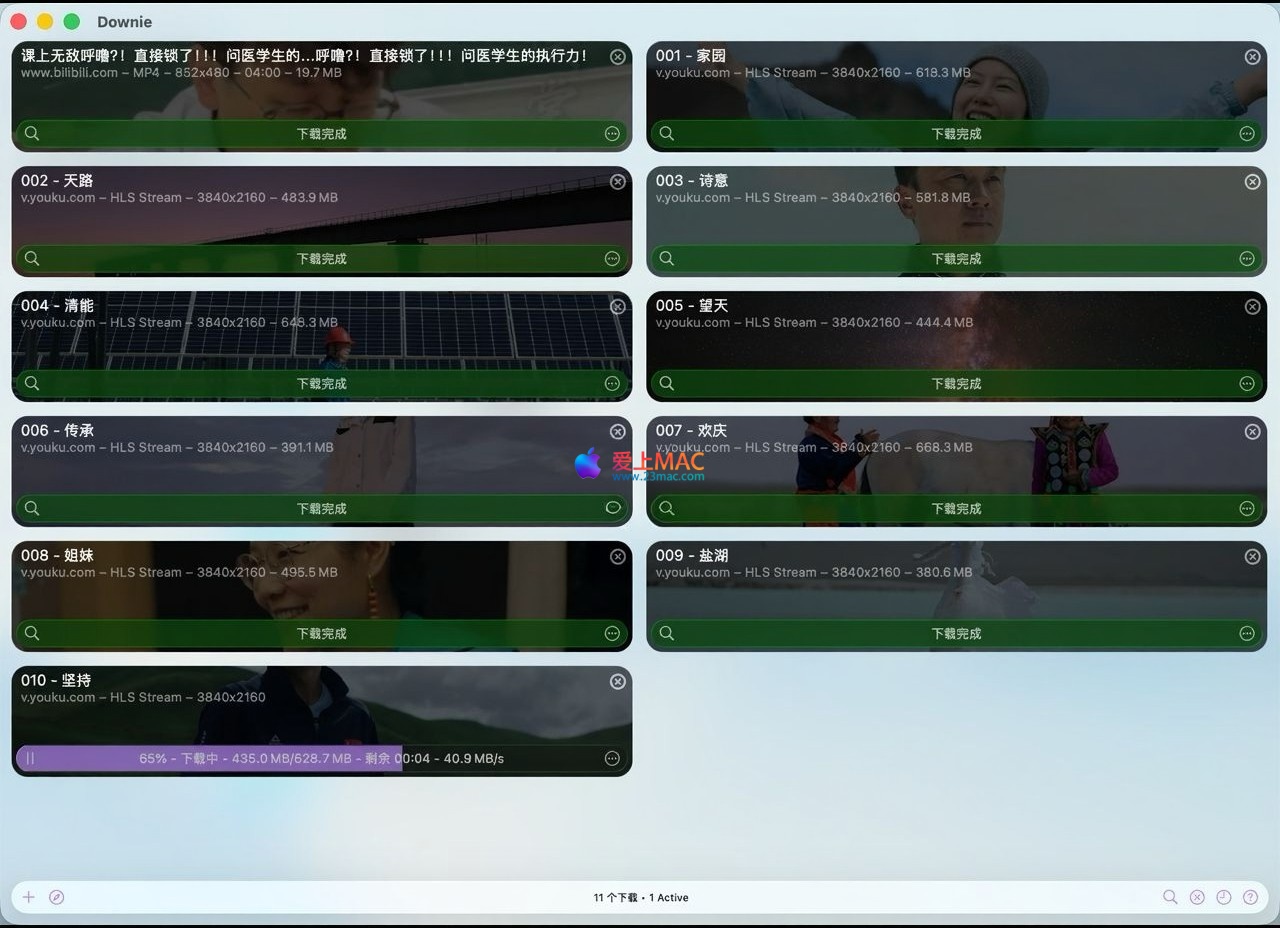
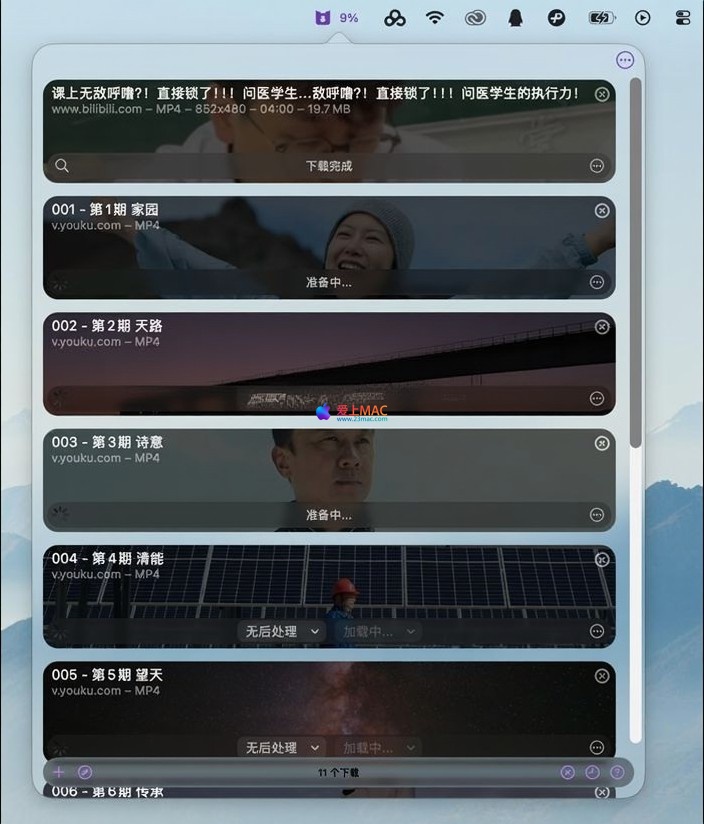
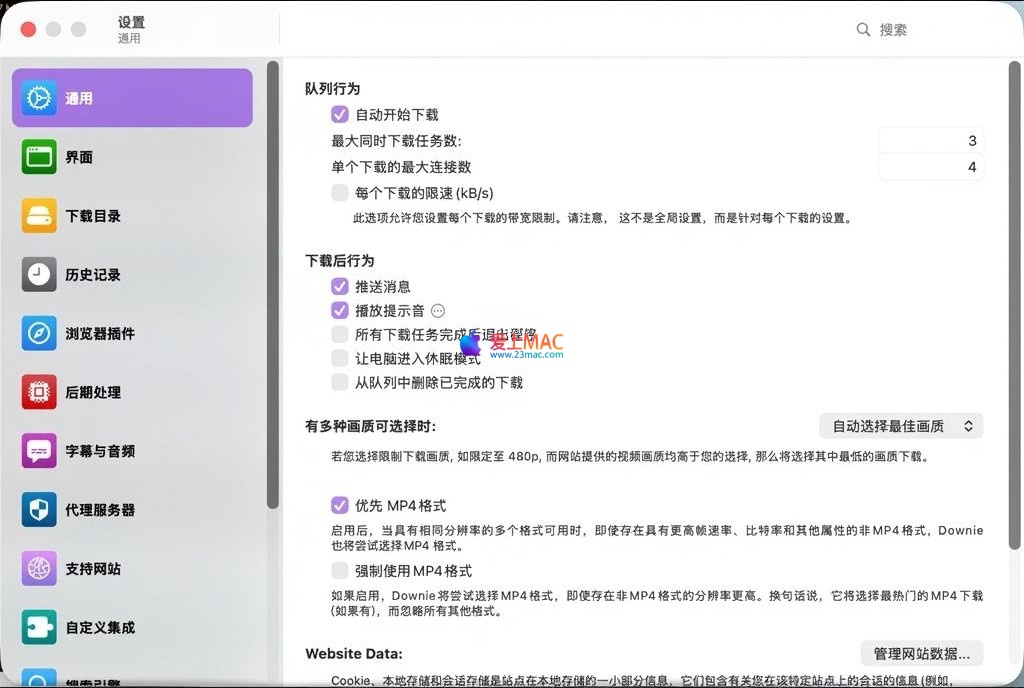
Below are screenshots of the main Downie 4 interface, showing its concise download queue management, settings options, and download process.

Downie 4 main interface and download queue screenshotDownie 4 preferences interface screenshotDownie 4 browser extension trigger screenshot

Download info

This resource requires login to download

Log in

Note: This resource is for informational purposes. By using this resource, you agree that you accept full responsibility to the copyright holder. For questions, please contact us.

Ratings & reviews

No rating

Let’s rate it.

  • 5 stars
  • 4 stars
  • 3 stars
  • 2 stars
  • 1 stars

You may also like

More
×
Downie 4 for Mac v4.11.13 Professional Video Downloader Chinese Activated Version Download
iMac — One-stop Mac Software Download Platform
Social login
captcha
Social login